

Homileto Notes · The free companion app
Your sermon, in every pocket.
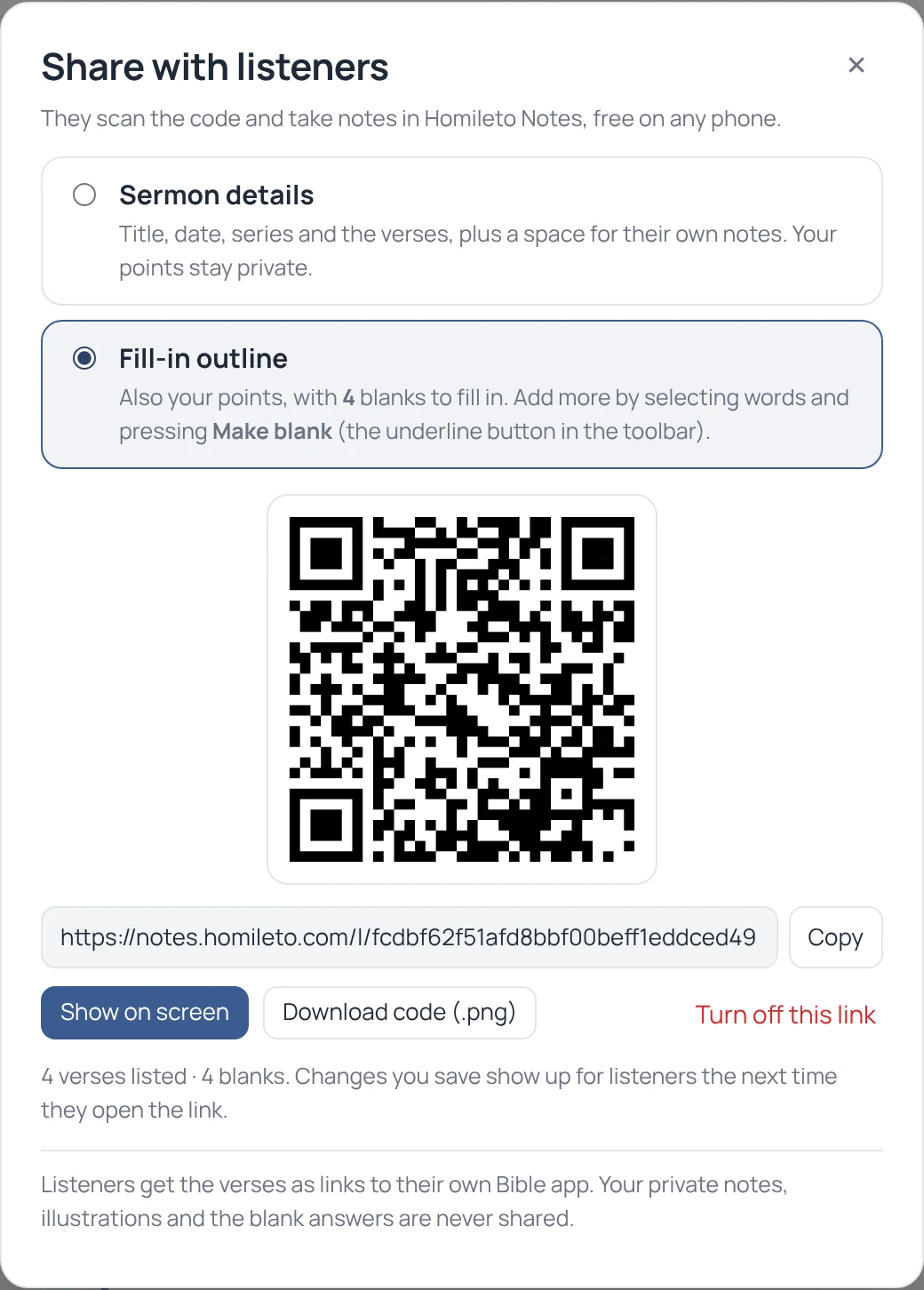
Homileto Notes is the free companion app for pastors, preachers, and Bible teachers. Share your sermon from Homileto with a QR code. Your listeners scan it and take notes on their phone or tablet, with the title, the series and every verse already there.


Free on iPhone, iPad and Android, or open it in any browser · No ads · No AI · English and Español
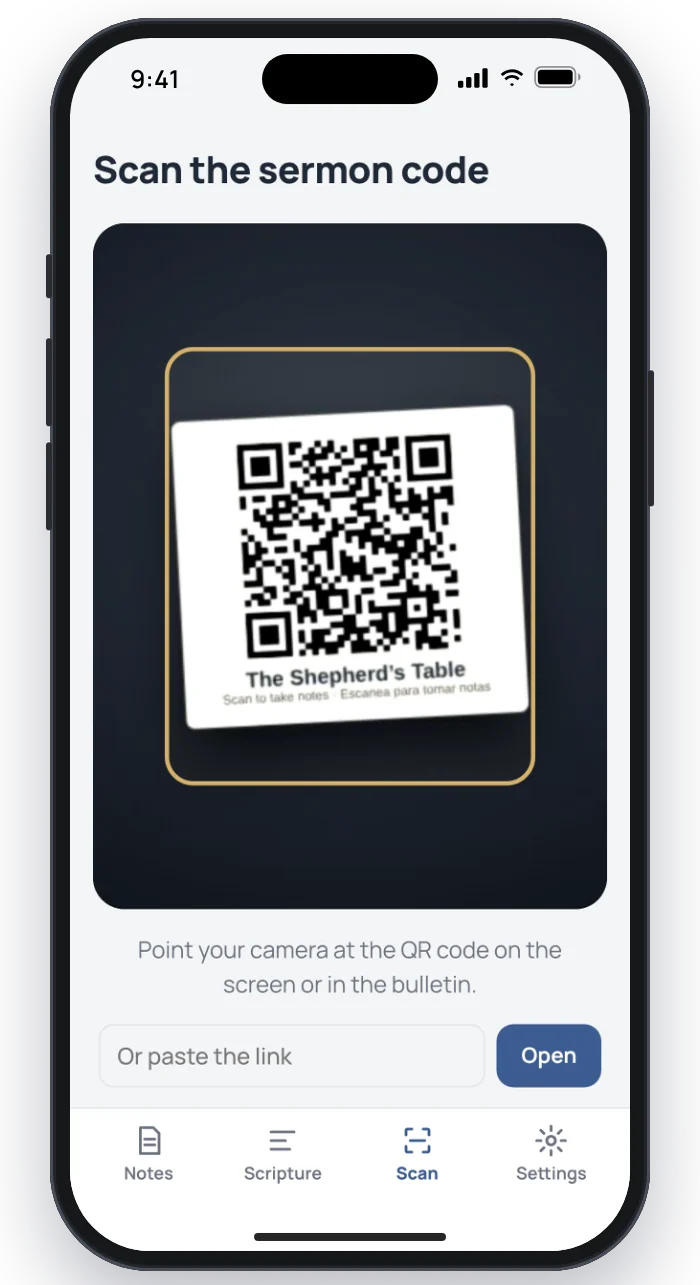
Scan the sermon code
Point. Scan. The sermon is in their notes.
Nothing to install first, no web address to type, no account to make. One scan and your listeners are ready before the first point.
- 1You share it. In Homileto, choose Share with listeners. Show the code on the church screen or print it in the bulletin.
- 2They scan it. With the phone’s camera, or by opening Notes and tapping Scan.
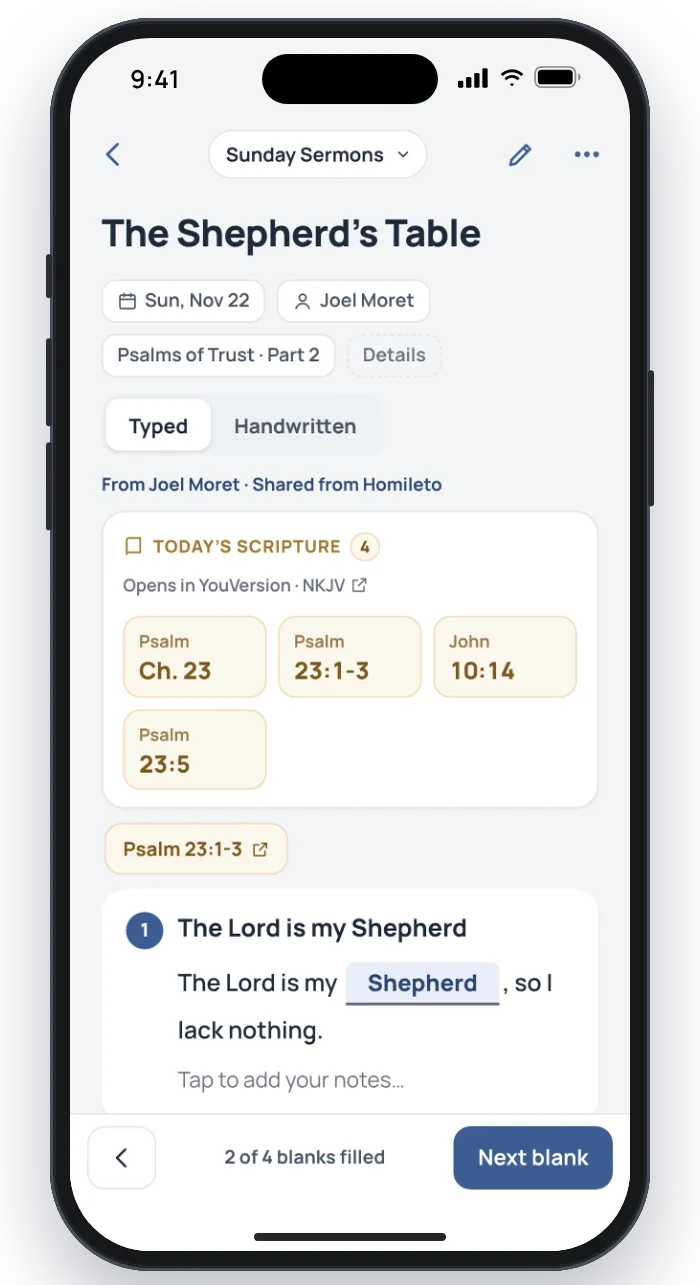
- 3They take notes. Title, date, series and every verse are already there, or your fill-in outline with blanks.
Tip for your people: add Notes to the Home Screen once, then use its Scan button every Sunday, so every sermon lands in the same place.
With or without a code
A Bible study tool for anywhere.
Notes doesn’t need a QR code, or a church that uses Homileto. Anyone can open it and start a note, anywhere, any time.
- Personal Bible study and devotions at home, with every verse a tap away
- Small groups and classes, with a notebook for each
- Conferences and retreats, with the speaker and date on every note
- Any church, any preacher. Just tap New note
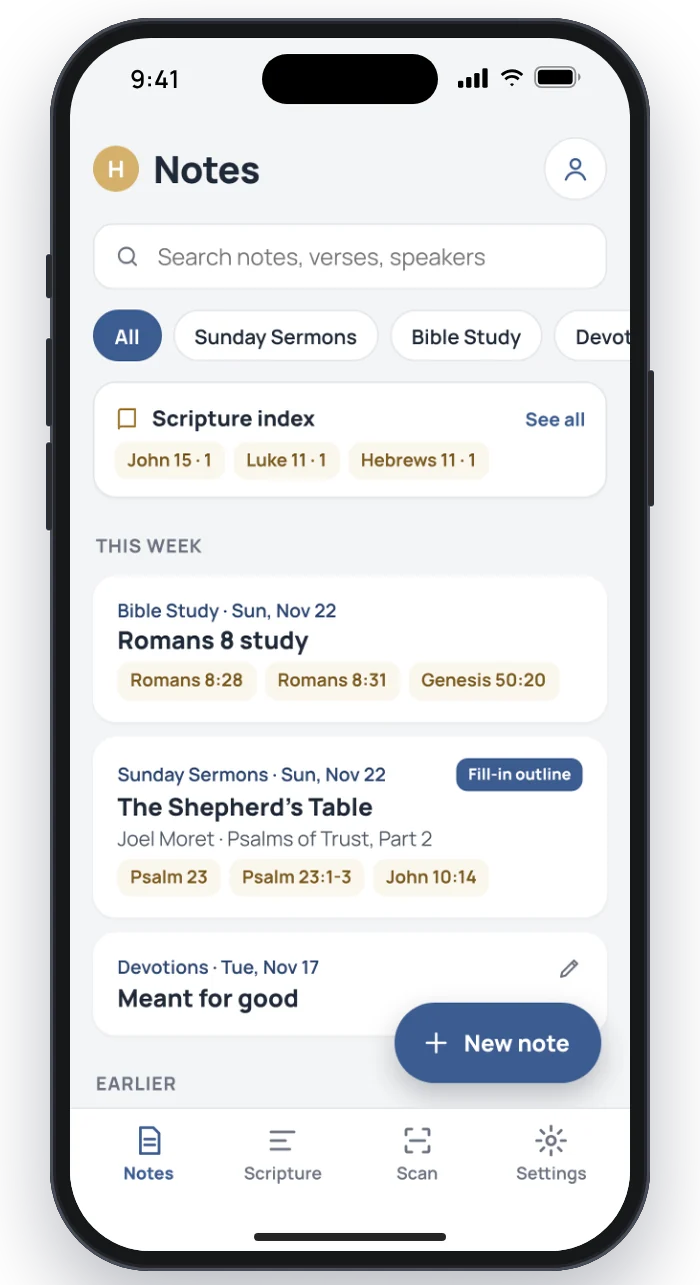
The Scripture index gathers every note about a passage, so a week’s study, Sunday’s sermon and a conference talk on Romans 8 end up side by side.
For pastors, preachers, and Bible teachers
Help your listeners follow, remember and open their Bibles.
Notes is free for everyone, and it works hand in hand with Homileto, the sermon writer. Write your message as usual, then choose what your people get:
- Sermon details: title, date, series and the verses, plus room for their own notes
- Fill-in outline: your points with blanks, like a study guide. Select words and press Make blank
- Show on screen: a big code for the projector, or a code image for the bulletin
- Your manuscript, illustrations and the answers to the blanks stay private
- Spanish speakers see the book names in Spanish, from the same code
For listeners: verses become links
Their Bible app, their version.
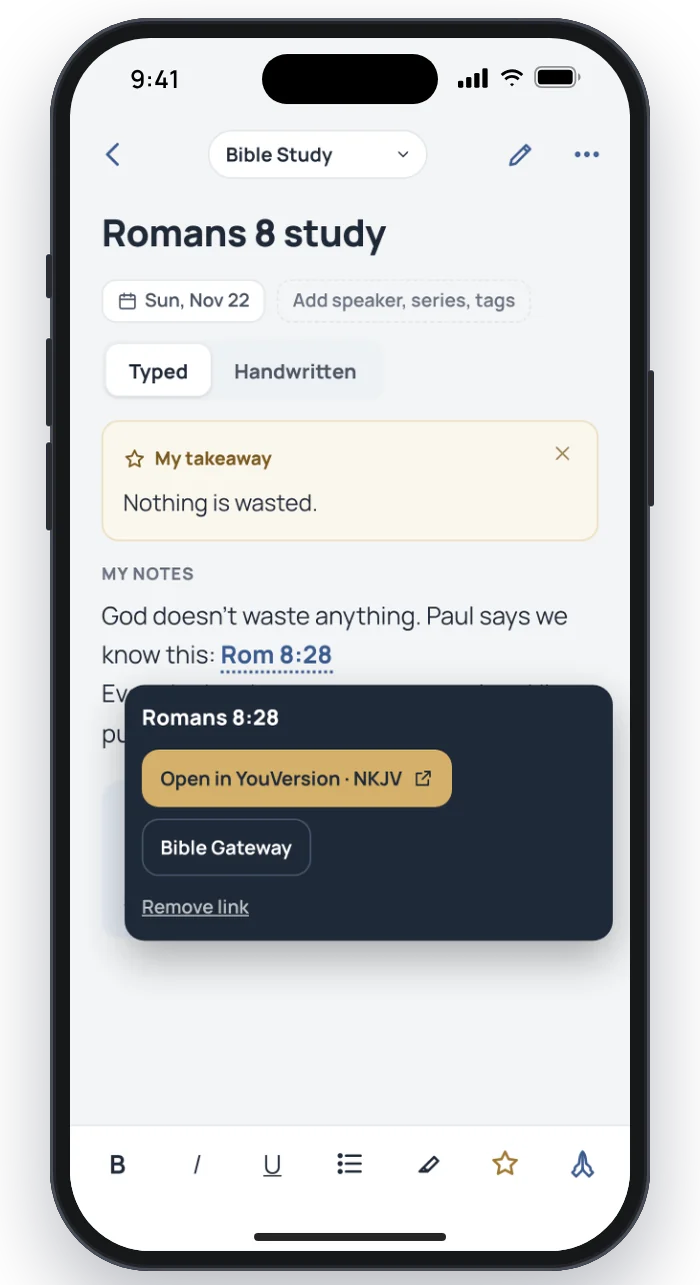
Any reference written in a note, in English or Spanish (“John 3:16”, “1 Cor 13”, “Sal 23:1-4”), becomes a link. A tap opens the passage in YouVersion or Bible Gateway, in the version they choose.
- NKJV, NIV, ESV, NLT, CSB, KJV and more
- Reina-Valera 1960, NVI, NTV, LBLA and NBLA
- Opens the YouVersion app when it’s installed
Write by hand
A finger, an Apple Pencil or an S Pen.
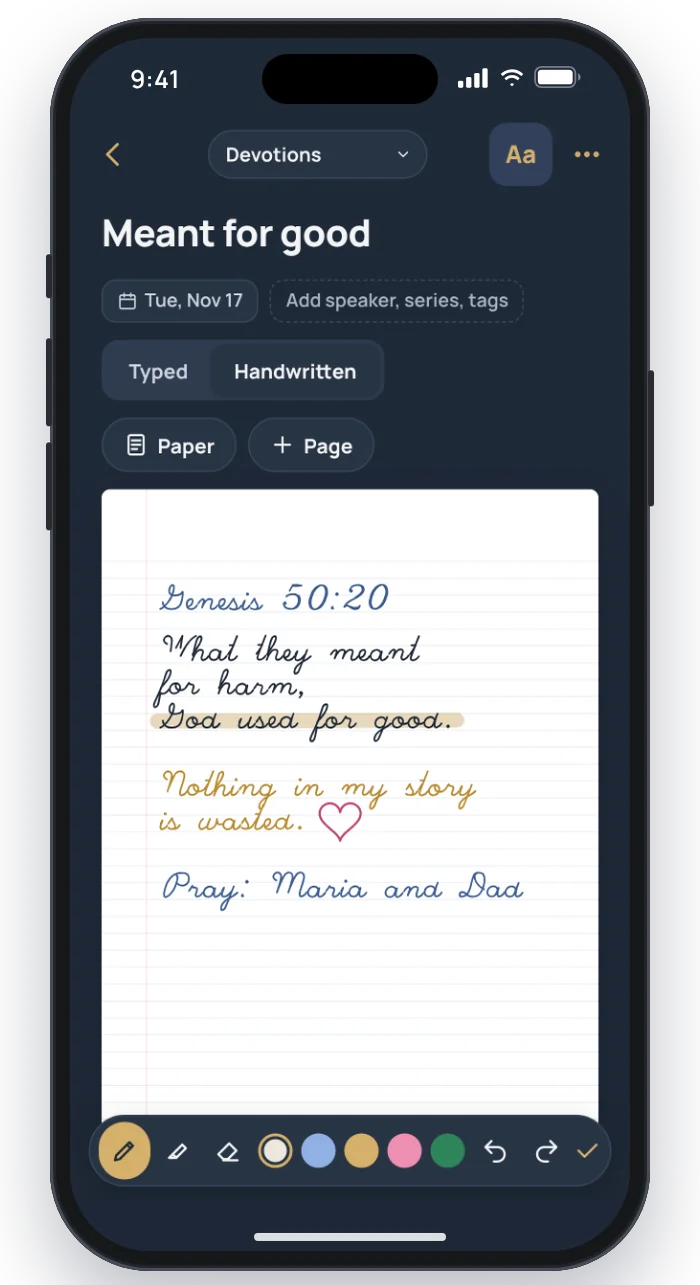
Switch any note to Handwritten and write on real pages: lined, grid, dotted or blank paper, with as many pages as you need. Pen, highlighter and eraser, five ink colors that read well in light and dark, and undo. Once a stylus touches the page, a resting hand leaves no marks.
Dark mode keeps a screen from lighting up the row in a dim sanctuary.
Made for church
Everything a sermon note needs.
Sunday Sermons, Bible Study, Devotions, Conferences, or their own. The date fills itself in; add speaker, series and tags.
Every note that mentions Romans 8, gathered in one place, book by book.
One thing to remember this week, and the people they promised to pray for.
Church Wi-Fi down? Notes save on the phone and open without a signal.
Free on the App Store and Google Play. On a computer, open it in any browser.
An optional free account keeps a copy, so notes follow them to a new phone or tablet.
English and Spanish menus, and book names in each person’s language.
No ads, no tracking, no AI. Pastors never see anyone’s notes.
Share your next sermon.
Write it in Homileto, show the code on Sunday, and your church takes notes in Homileto Notes, free.