
Guides · Scripture
Use the NIV, NKJV, ESV or any version with “Type it” and Bible Gateway
Modern versions like the NIV, ESV, NKJV, CSB, NLT and RVR1960 are copyrighted, so Homileto can’t include them. You can still preach from them: Homileto opens the passage on Bible Gateway, and you paste in the verses you’ll quote.
Updated October 16, 2026 · 4 steps · Leer en español
The steps at a glance
-
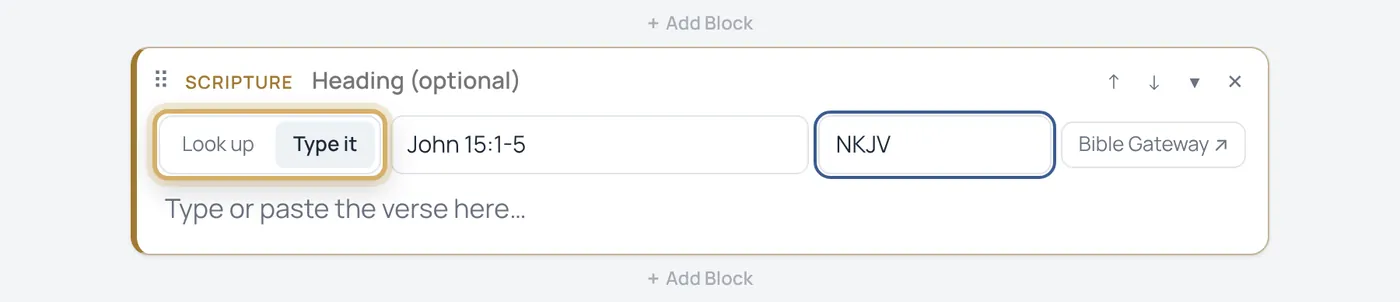
Switch the block to “Type it”
In a Scripture block, press Type it. The block now holds whatever you write or paste, in any version.
-
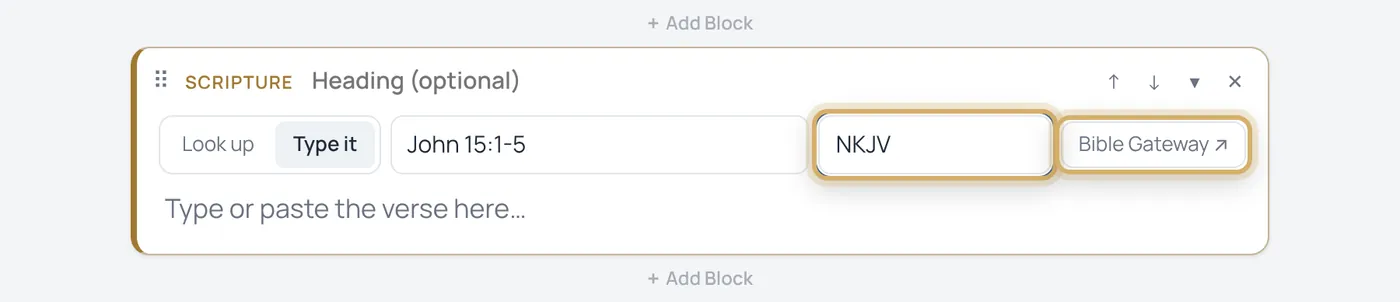
Name the version and open Bible Gateway
Type the version (for example NKJV) in the small box, then press Bible Gateway ↗. The passage opens in a new tab in that version.
-
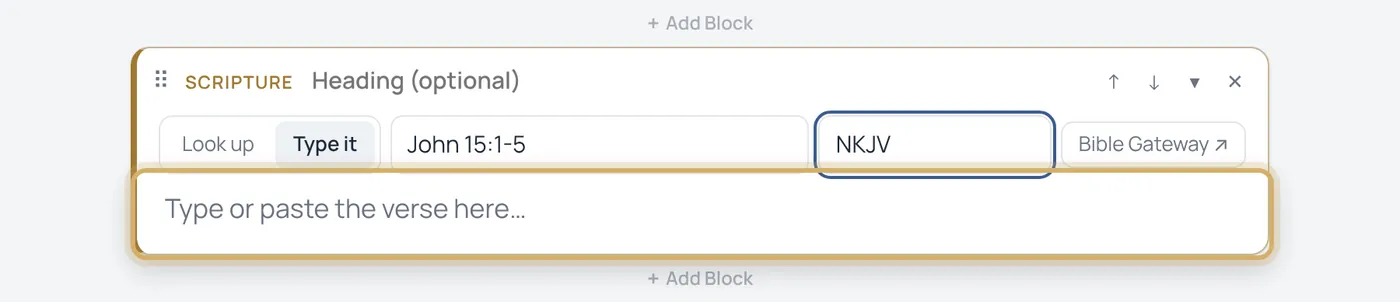
Paste the verses in
Copy the verses from Bible Gateway and paste them into the block. The version name travels with the block into Podium Mode and print.
-
Compare versions side by side
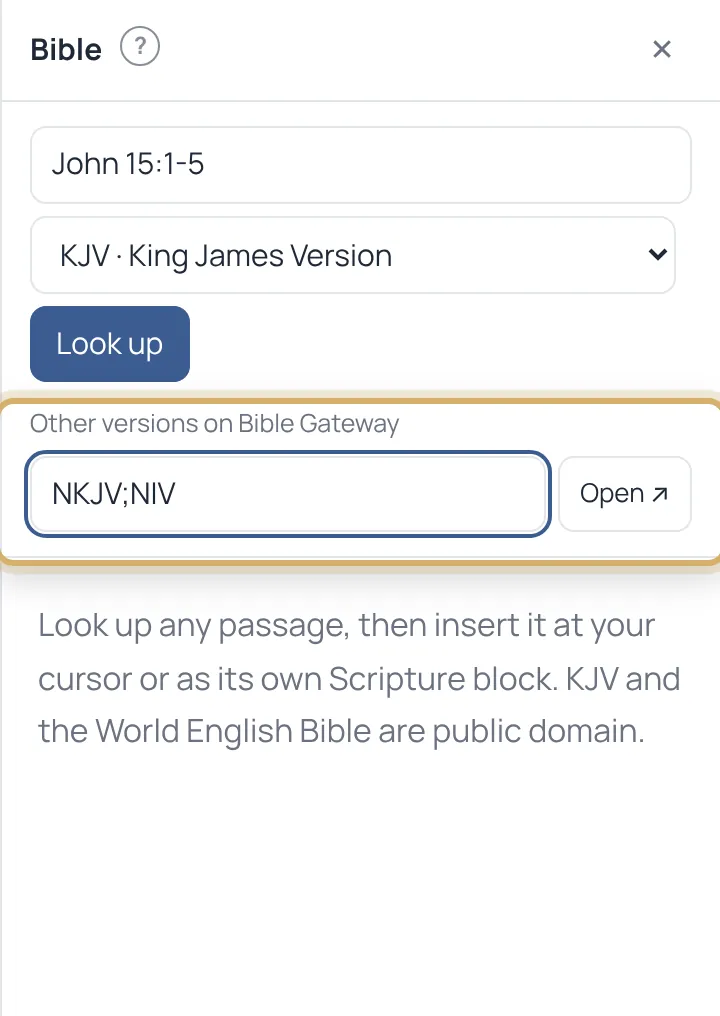
In the Bible panel, type versions separated by a semicolon (like NKJV;NIV) under Other versions on Bible Gateway and press Open. Bible Gateway shows them side by side. Homileto remembers your choice.