
Guides · Sharing with listeners
Make a fill-in-the-blank outline for your listeners
Fill-in-the-blank outlines help people listen for the main ideas. In Homileto you mark the words, and your listeners fill them in on their phones, with no bulletin inserts to print.
Updated October 16, 2026 · 4 steps · Leer en español
The steps at a glance
-
Select the words and press Make blank
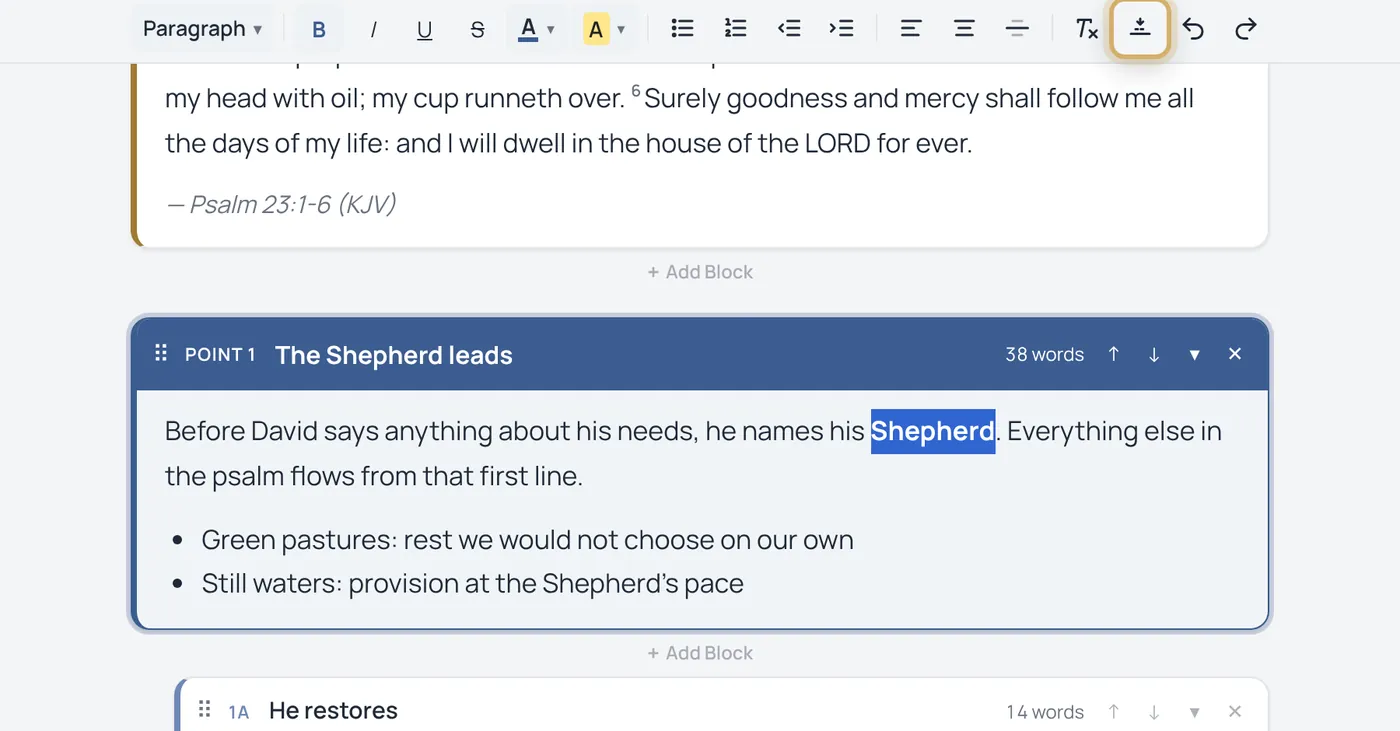
In a Point, Sub-point or Application block, select a word or short phrase, then press Make blank, the underline button in the toolbar. Press it again on a blank to remove it.
-
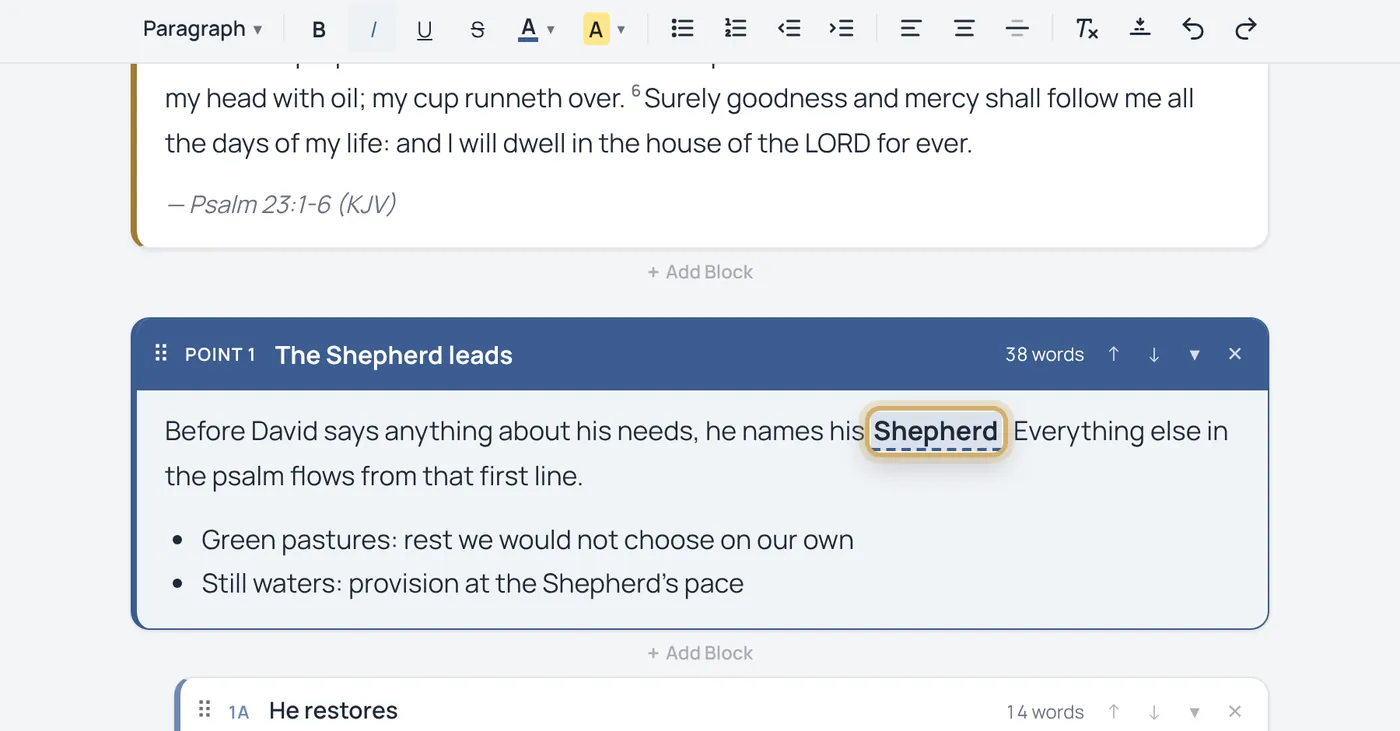
The blank is marked
Blanked words get a dotted underline in the editor. You still see the answer; your listeners don’t.
-
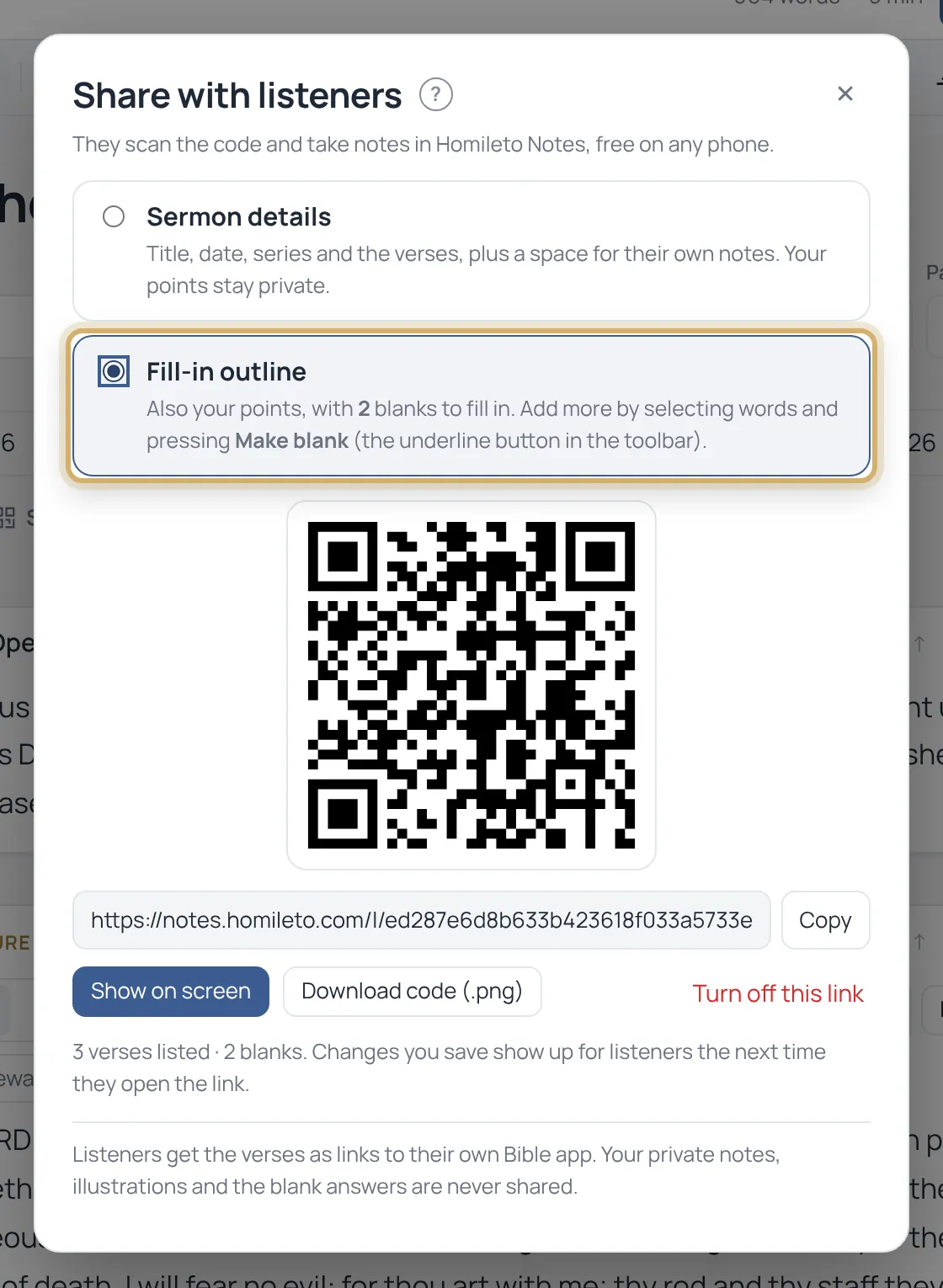
Share the fill-in outline
Press Share with listeners and choose Fill-in outline. It shows how many blanks you’ve made. If you already shared a code, it switches over and the same code keeps working.
-
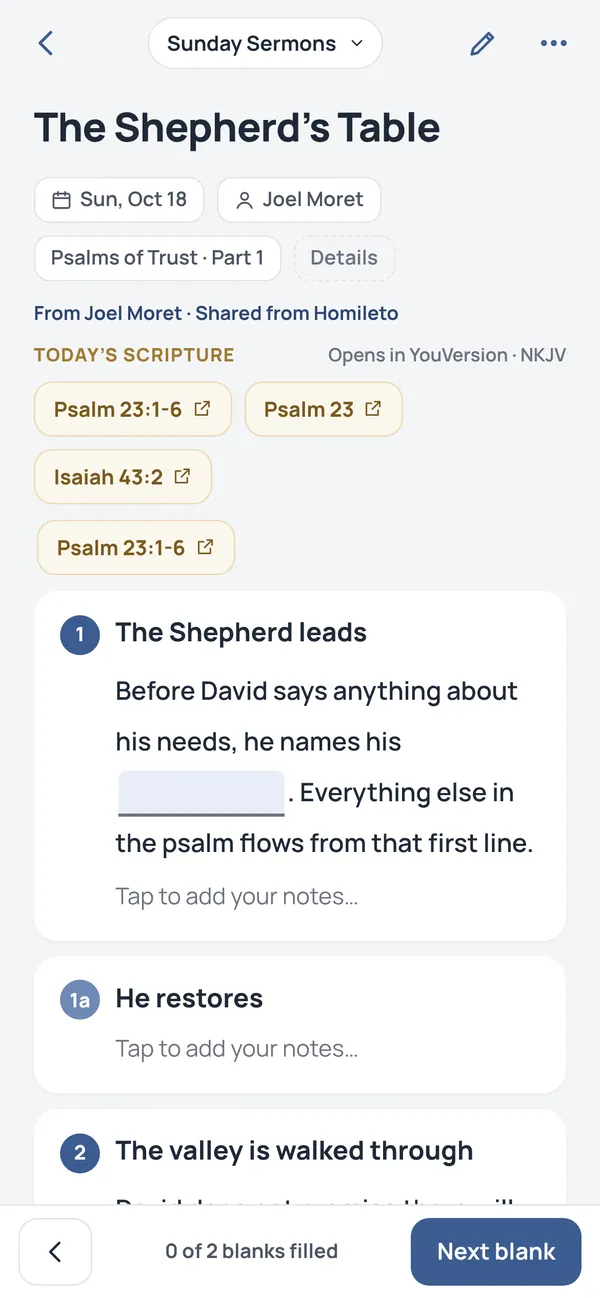
Listeners fill them in
In Homileto Notes they see your points with an empty box for each blank. The bar at the bottom counts the blanks filled and jumps to the next one.