
Guides · Account and billing
Choose a plan, use a coupon code, or cancel
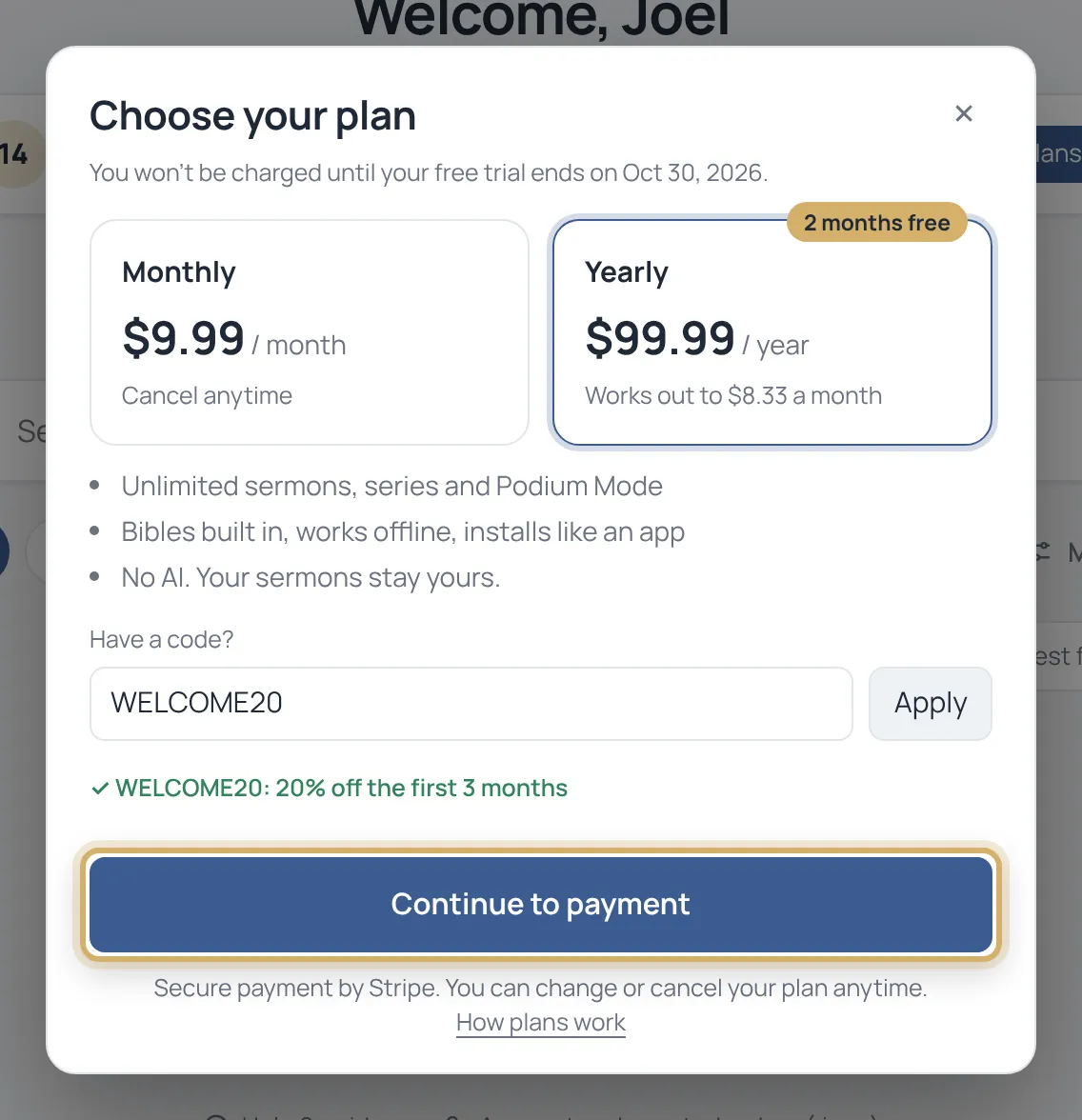
Homileto is $9.99 a month or $99.99 a year (two months free). Choosing a plan during your trial doesn’t cut it short: the days you have left carry over.
Updated October 16, 2026 · 5 steps · Leer en español
The steps at a glance
-
Open the plans
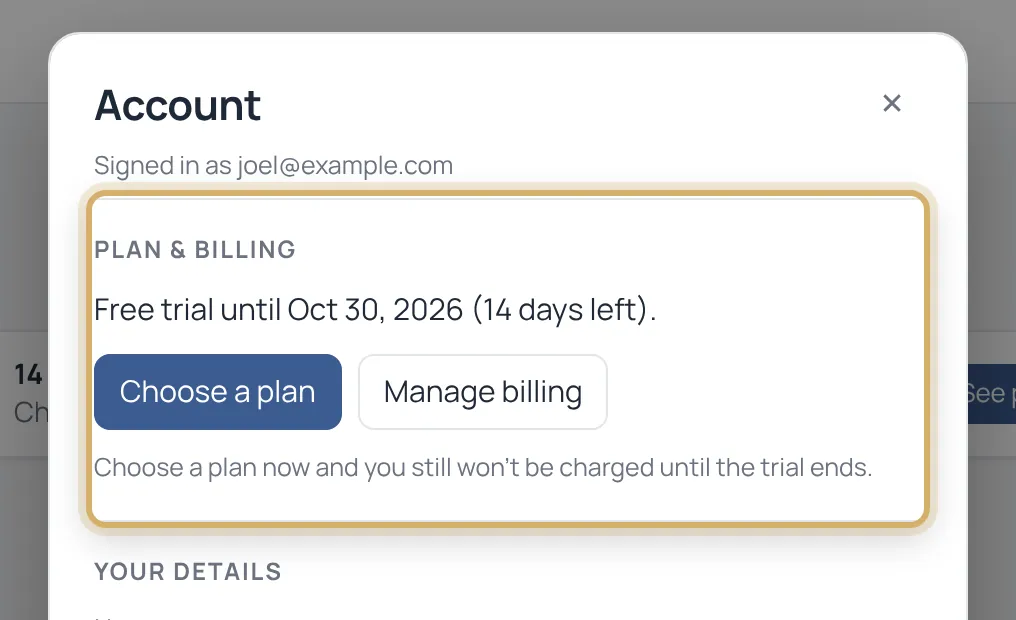
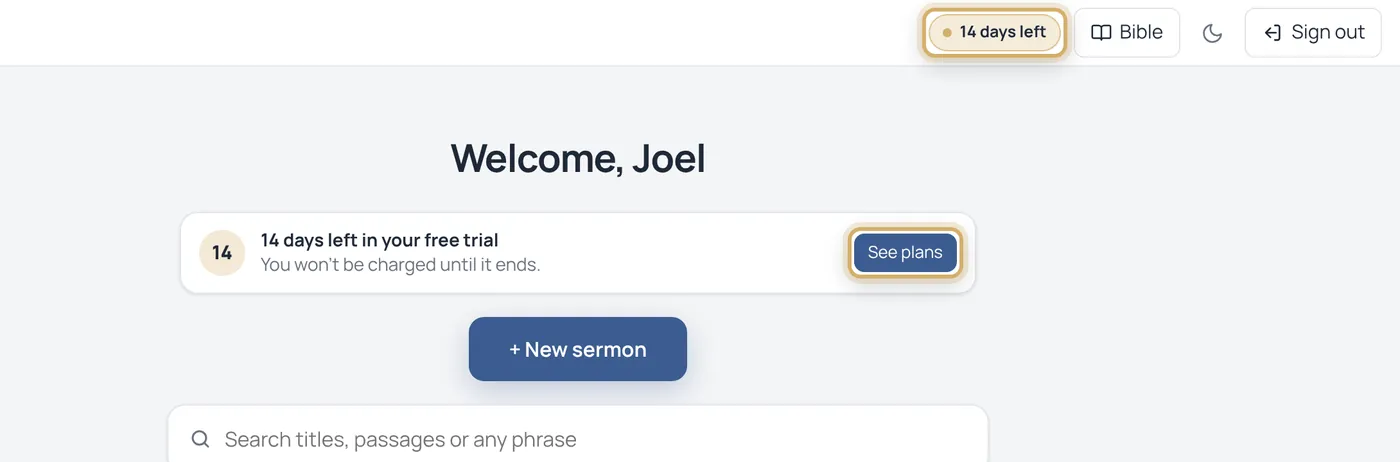
Press See plans on your dashboard, the days-left badge at the top, or Choose a plan in your Account.
-
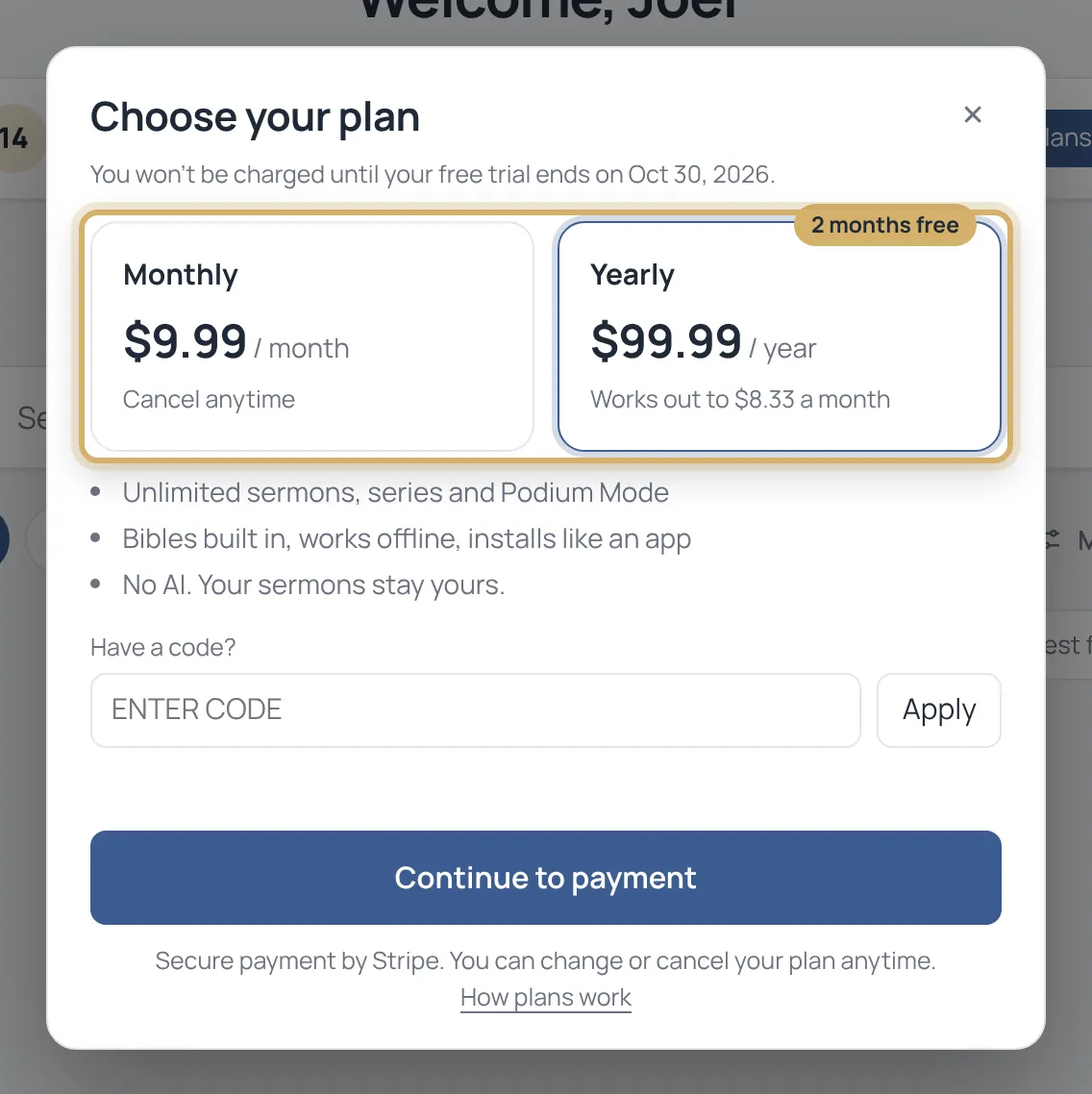
Pick monthly or yearly
Tap the plan you want. The yearly plan works out to about $8.33 a month.
-
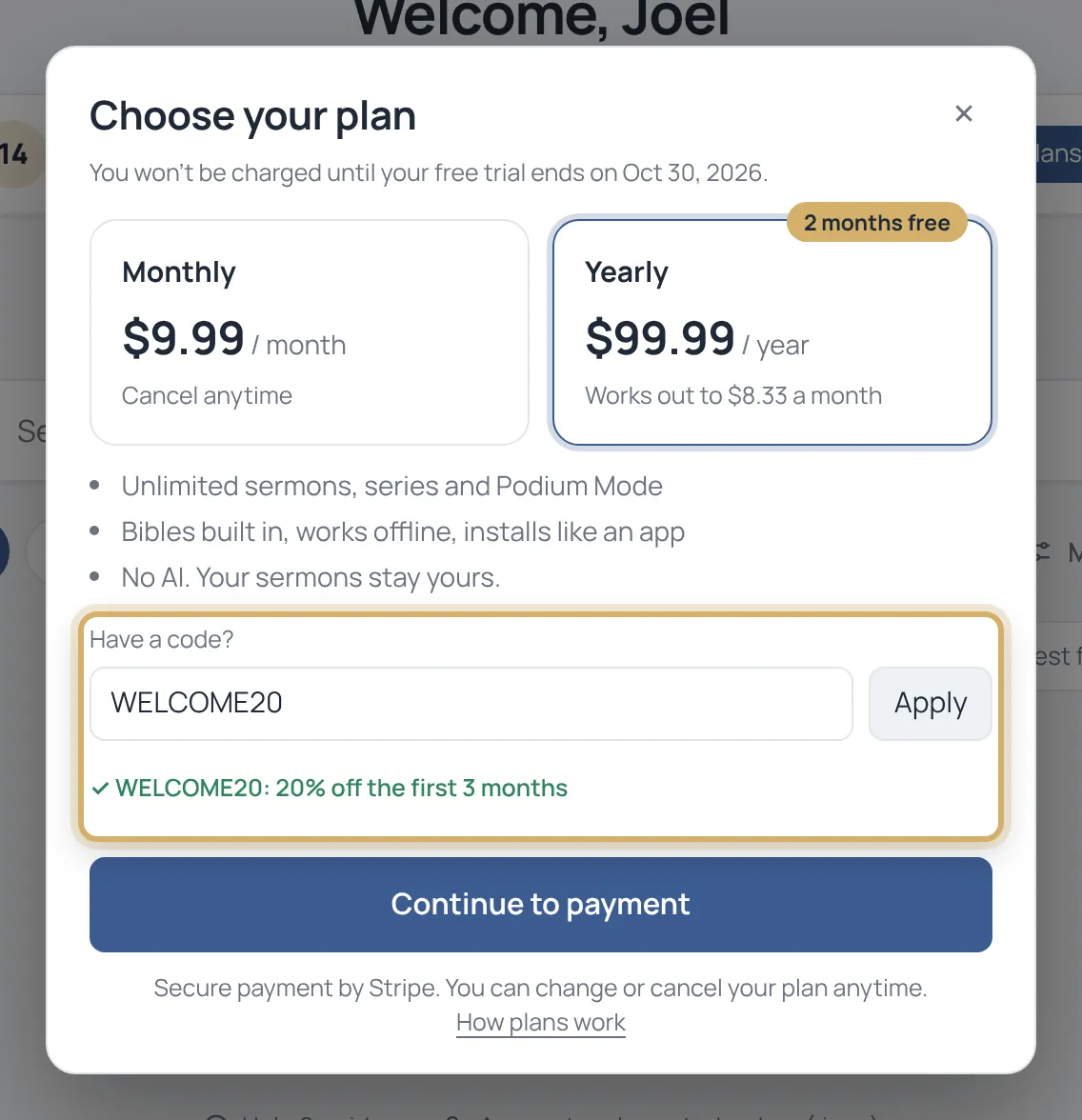
Have a code? Apply it
Type it under Have a code? and press Apply. Homileto shows the discount before you pay. If you opened a link with a code in it, it’s already filled in.
-
Pay securely with Stripe
Press Continue to payment. You’ll finish on Stripe’s secure checkout page, then come right back to Homileto. Homileto never sees or stores your card number.
-
Change your card, see receipts, or cancel
Open Account and press Manage billing. There you can switch plans, update your card, download receipts or cancel. When you cancel, you keep full access until the end of the period you paid for.